
Copy caption
I enjoy building software, solving practical problems, and learning by creating things that people can actually use. UnlockForge started with that same idea: build something useful, solve a problem, and keep improving it along the way.
When you run a WordPress website, not every piece of content needs to be available to every visitor immediately. You might want to show readers a preview before asking them to continue, encourage visitors to sign in before accessing an article, or offer paid access to content you have spent hours creating.
I wanted to explore how these different requirements could be handled through a single WordPress plugin, without making website owners piece together multiple solutions.
That is how I started building UnlockForge.
Explore UnlockForge on WordPress.org
The problem I wanted to solve
Content is often one of the most valuable parts of a website. Bloggers spend time researching and writing articles. Educators create tutorials and learning material. Publishers build resources for a specific audience. Some website owners also create premium content that they want to sell.
But deciding how visitors access that content can be a challenge.
For example, a blogger might want readers to see the first few paragraphs of an article before unlocking the rest. An educator might want visitors to sign in before accessing a tutorial. A publisher might want to charge for a detailed guide instead of making it freely available.
These are different use cases, but they share a common requirement: the website owner needs control over content access.
I started building UnlockForge to bring these options together in a WordPress plugin that can be managed directly from the dashboard.
From an idea to a working plugin
Building UnlockForge has been more than implementing a content-locking feature. I have been working through the different parts that make a plugin useful in practice.
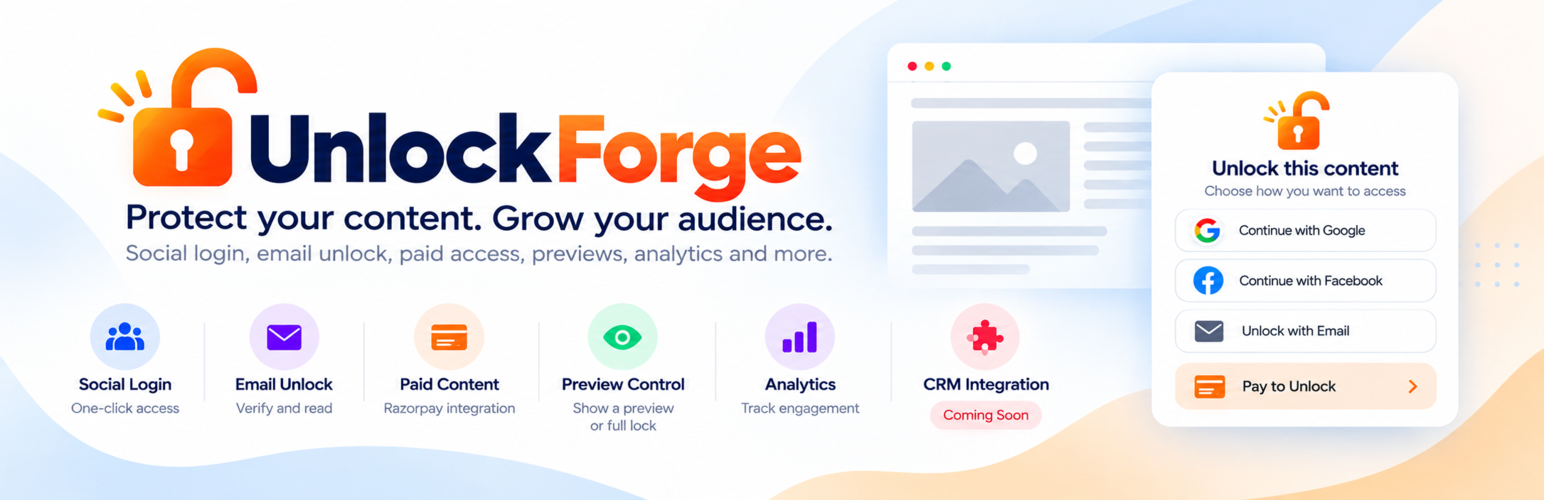
The plugin includes configurable protection modes, a preview experience, social login unlocking, custom messages, bulk protection controls, analytics, and paid-content unlocking through Razorpay integration.
Each feature addresses a different part of the problem. The protection settings determine what visitors can access, the unlock experience explains what they need to do, and the administrative tools help website owners manage the setup.
I have also had to think about the less visible parts of development: payment verification, access management, database changes, error handling, and making the settings understandable.
These are the kinds of details that make building a real product different from simply writing code that works in a local environment.
UnlockForge is still evolving, and I see it as an ongoing project rather than something that is finished once it has been released.
How UnlockForge can help other WordPress users
My goal is to make content protection useful for different types of websites, rather than limiting it to a single use case.
Show a preview before locking content
Sometimes, visitors need a little context before deciding whether to unlock an article. The preview mode lets you show an initial portion of your content before restricting access to the rest.
This can be useful for long-form articles, tutorials, educational material, and premium publications.
Encourage visitors to sign in
If you want visitors to sign in before reading selected content, UnlockForge supports social login-based unlocking.
This provides a way to connect content access with a login flow instead of leaving every article completely open.
Offer paid access to selected content
Not every website needs a full subscription platform. Sometimes, you simply want to charge for access to a particular piece of content.
UnlockForge supports paid-content unlocking through Razorpay integration, subject to the required payment configuration. This gives website owners another way to make selected content available to paying visitors.
Protect content without managing every post individually
Applying protection settings one post at a time can become repetitive as a website grows. Bulk protection tools help simplify the process when you need to manage multiple items.
Make the unlocking experience clearer
A locked article should not leave visitors confused. Custom unlock messages let website owners explain what is required to access the protected content and guide visitors through the next step.
Who might find UnlockForge useful?
While building the plugin, I had several types of WordPress websites in mind:
- Bloggers who want to offer previews of selected articles.
- Educators and tutorial creators who want to restrict access to learning material.
- Publishers who want to experiment with paid content.
- Website owners who want to encourage visitors to sign in.
- Creators who need more control over how readers access their work.
You may not need every feature. The idea is to choose the protection method that makes sense for your website and your audience.
What I have learned from building it
One thing I keep learning through software development is that solving the main problem is only the beginning.
A feature might work correctly, but is it easy to configure? Does the visitor understand what to do? What happens when a payment fails? Can the site owner manage the feature across multiple posts? Are errors handled properly?
These questions have influenced how I approach UnlockForge.
Building and releasing a WordPress plugin has given me an opportunity to work through product decisions, implementation details, user experience, testing, and maintenance in one continuous project.
It has also reinforced why I enjoy building things: every iteration reveals something new, whether it is a technical issue, an improvement to the interface, or a better way to approach the original problem.
What comes next?
I plan to continue improving UnlockForge as I learn from the development process and feedback from people who use it.
There are always opportunities to make a product easier to configure, more reliable, and more useful for its intended audience. I would rather improve it through practical use and thoughtful iterations than add features simply to make a longer feature list.
If you try the plugin and find something that could be better, feedback is welcome. It is one of the most useful ways to understand whether the solution I built actually helps with the problem it was intended to solve.
Try UnlockForge on your WordPress website
If you are working on a WordPress site and want more control over how visitors access your content, you can explore UnlockForge in the official WordPress plugin directory.
Get UnlockForge on WordPress.org
Install it on a test site, explore the available settings, and see whether its content protection options fit your needs. If you plan to offer paid content, configure and test the payment integration before using it on a live website.
Writing
See UnlockForge in Action
UnlockForge is a WordPress plugin I built to give website owners more control over how visitors access their content. From content previews and social login to paid access, this project has been a chance to turn an idea into something practical.
Here’s a short introduction to the plugin and what it can do.
A project built through learning and experimentation
UtilPress is where I share things I learn, projects I build, and ideas I explore through software development. UnlockForge is one part of that journey.
I built it to solve a practical problem, and I am sharing it in the hope that it can help other WordPress users solve the same problem on their own websites.
For me, the journey does not end with releasing a plugin. It continues with using it, improving it, learning from the experience, and making it more useful over time.